





pdfRest Introduces PDF to PostScript for Automated Print and Prepress Workflows
Member NewsSeptember 10, 2026
Member NewsSeptember 10, 2026

About Eric Shore, Datalogics
The views expressed in this article are those of the author(s) and do not reflect the policies or positions of the PDF Association.
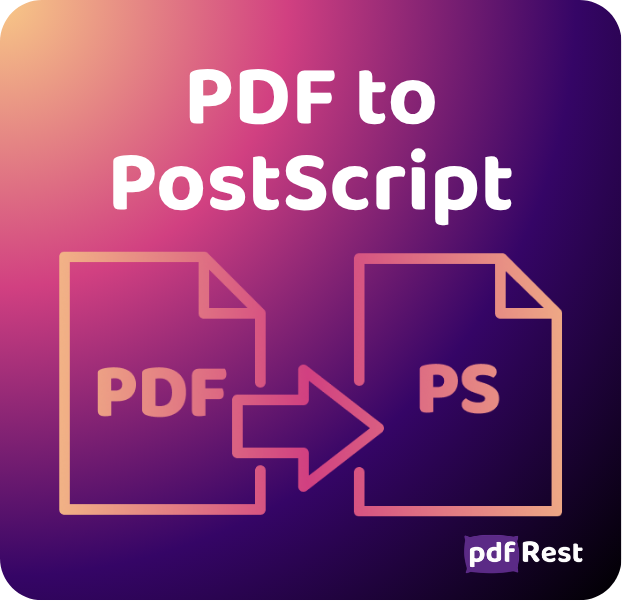
pdfRest has released the new PDF to PostScript API Tool, enabling developers to generate PostScript files from PDFs within automated document workflows.
PostScript plays an important role in many print, prepress, publishing, and production environments. Raster image processors, print servers, and other production systems often use PostScript as a dependable input format. At the same time, the approved source document, customer-facing file, or archived master may be maintained as a PDF.
PDF to PostScript helps bridge these parts of the production process. Instead of relying on a manual print or export operation, teams can convert an approved PDF into PostScript through a repeatable API request. This makes it easier to route documents into production systems while maintaining consistent conversion settings across jobs.
PostScript Output Built for Production Workflows
Different printers, RIPs, and production environments may require different types of PostScript output. The PDF to PostScript tool provides controls for preparing files that meet the needs of the receiving system:
- PostScript level: Generate PostScript Level 2 or Level 3 to match the capabilities of the target system.
- Page selection: Convert the entire document or select only the pages required for a cover, insert, proof, or other production component.
- Output format: Choose compact binary output or text-safe, 7-bit PostScript for transfer paths with specific compatibility requirements.
- Page handling: Apply scaling, rotation, and shrink-to-fit behavior to prepare content for the target output process.
- Annotations: Include or omit printable annotations depending on whether the output is intended for proofing or final production.
The source PDF remains unchanged, while the resulting PostScript can be delivered to print equipment, passed to a RIP, transferred to another production system, or used as the next step in a larger document workflow.
Each request returns a managed resource ID, allowing the PostScript file to move directly into another pdfRest processing step without first being downloaded and uploaded again. This supports efficient, traceable automation that can be associated with the appropriate job or production record.
For a closer look at incorporating this conversion into print and prepress pipelines, see Streamline PostScript Workflows for Print and Prepress.
PDF Refrying: Completing the Roundtrip
Paired with the existing Convert to PDF API Tool, the new PDF to PostScript API Tool completes the roundtrip commonly known as PDF refrying. A PDF can be converted to PostScript and then back into a newly generated PDF, with the intermediate file passed directly between API tools using its resource ID.
PDF refrying is sometimes used as a troubleshooting or compatibility technique when a PDF does not print, render, import, or process as expected in a particular system. Passing the file through PostScript and rebuilding it as a new PDF can simplify complex content, flatten transparency, and rewrite or remove structures that the receiving system may not handle successfully. The objective is a regenerated PDF that behaves more predictably in its intended environment.
While there are often more targeted ways to resolve PDF compatibility and processing problems, some teams choose refrying because it offers a simple, familiar approach that has proven effective within their particular workflows.
For the return conversion, Convert to PDF accepts an optional Adobe Distiller-compatible .joboptions file for PostScript and EPS inputs, giving teams control over how the regenerated PDF is produced. With the addition of PDF to PostScript, pdfRest now provides both conversion directions needed to automate the entire roundtrip.
Because the process reconstructs the document, it may also change or omit PDF features that PostScript cannot represent directly. These can include accessibility tags, fillable form fields, layers, links, bookmarks, embedded files, digital signatures, and other interactive structures. Organizations using this process should preserve the original PDF and validate the regenerated file against its intended use.
For additional information and implementation examples, see Automate PDF Refrying for Print Production.
Getting Started
Adding PostScript output to an existing document pipeline takes only a few API requests. Developers can review the available parameters, explore payload examples, and test the PDF to PostScript tool in the API Lab.
Visit pdfRest to get started.

Datalogics, Inc. provides a complete SDK for PDF creation, manipulation and management for companies around the globe. Built on Adobe source code, our flagship product Adobe® PDF Library offers a choice of programming platforms and languages along with unsurpassed customer service, proven by our 91% customer retention rate. Datalogics offers…
Read more