




https:// …pdf
ArticleOctober 29, 2026

ArticleOctober 29, 2026

About Duff Johnson, PDF Association
Conversations at W3C’s TPAC meeting in Dublin this week have brought me back to a question that deserves more attention: what does it mean to be “web content”?
In exchanges within and between sessions, I have found myself returning to how PDF, a format that’s part of everyday life, is often treated by web technologies as a leaf node; something delivered to a user, but otherwise uninteresting (to web developers).
A coconut, not a leaf
Besides acknowledging that PDF possesses features and capabilities that the Open Web Platform (OWP) lacks, the nicest thing I heard about PDF in Dublin was this: “it’s not a leaf, it’s a coconut!”.
Ok, I liked that (it was said with a big smile, after all). PDF might be a black box from the web POV, but it’s full of richness!
Compared to HTML, PDF may be only the (distant) 2nd most common format on the web, but PDF should nonetheless be considered a first-class citizen of the web. Every major web browser today includes its own fully integrated interactive PDF viewer, supporting PDF’s claim to first-class web citizenship. That means taking the full measure of PDFs capabilities, and leveraging them when PDF’s benefits meet the user’s needs! It means expecting web browsers to take PDF’s rendering features and accessibility features more seriously. It implies aligning PDF in the work of improving the online experience. Users following a link to a PDF should encounter the same commitment to usability and interoperability that we expect with other forms of web content.
As a practical matter, it’s clear that research papers, technical specifications, public records, product manuals, and countless other types of publications circulate as PDF, and exist on the web so that their readers (and AI!) can find, consult, cite, and share this information. Treating these documents as peripheral ignores a substantial part of the public’s lived-experience and limits investigation into deeper integration.
HTML, JavaScript, SVG, and CSS are fundamental to the web, but the web isn’t limited to text content. W3C concerns itself with audio, video, and images, so PDF’s richness fits comfortably within the web, not only as a “coconut” node.
There be dragons gaps…
While there’s vast overlap, some PDF features extend beyond web features, but that should be regarded as an opportunity, not a problem. As a PDF, authors can ensure a document has an identifiable edition, reliable pagination, carefully composed graphics, specific typography, etc. These characteristics matter for many classes of document; when people need to agree on what was published, discuss specific content, or retain a usable copy.
Familiarity with bad PDFs makes skepticism understandable. Readers encounter scans without usable text, missing (or misleading) structure, confusing navigation, and documents that don’t adapt to small screens. Users with disabilities bear especially serious consequences. Anyone making the case for PDF must confront those experiences directly. Even if the “native” web technologies have their own accessibility problems and inconsistencies, first-class status for PDF would and should bring higher expectations for quality and accountability.
Acceptance of PDF as a part of the OWP would help web developers develop a more accurate and comprehensive understanding of the technology. W3C’s own accessibility work already recognizes this. WCAG’s existing techniques for PDF discuss PDF-specific approaches to text alternatives, reading order, headings, tables, links, and forms. They establish that PDF accessibility belongs within the web accessibility conversation, and inspired the PDF Association’s own development of techniques for accessible PDF. Unfortunately, other areas do not, sometimes resulting in incorrect technical advice.
W3C ↔ PDF Association
PDF 2.0 and PDF/UA-2 provide a modern basis for accessible documents, including support for mathematical content using MathML (a W3C specification). Shared semantics offer a practical meeting point between technologies developed in different standards communities, and there’s much more work to be done in this area, as attested by the PDF Association’s ongoing collaboration with W3C in the ARIA Working Group’s PDF-AAM.
Some informal conversations here in Dublin have highlighted how much depends on those connections. Specialists naturally concentrate on their own specifications and implementations, but users experience the handoffs; A link points to a document; a browser presents it; APIs try to interpret it so that assistive technology can deliver it according to the user’s needs. The quality of that chain determines whether the document’s full richness is actually made available to the end user (or AI, as the case may be). Browser vendors should find it in their interest to identify and use well-tagged PDF content to improve navigation and reading experiences. Much of this is underway, but there are notable laggards (this pretty fundamental bug report against a major browser is over six years old!).
Standards organizations should prioritize coordination where their technologies meet. Shared test documents and transparent implementation results would help turn stated commitments into measurable progress. Some working within W3C recognize this, and have gone out of their way to drive increased collaboration between the PDF Association and W3C.
Preserving the author’s semantics (irrespective of format)
Creating a document should preserve the meaning already present in its source, such as headings, relationships between table cells and logical reading order. Still, web semantics are not identical to document semantics, so confusion persists.
Take the example of title content (not title metadata, as I've hastened to remind my friends at W3C). Here’s an example:
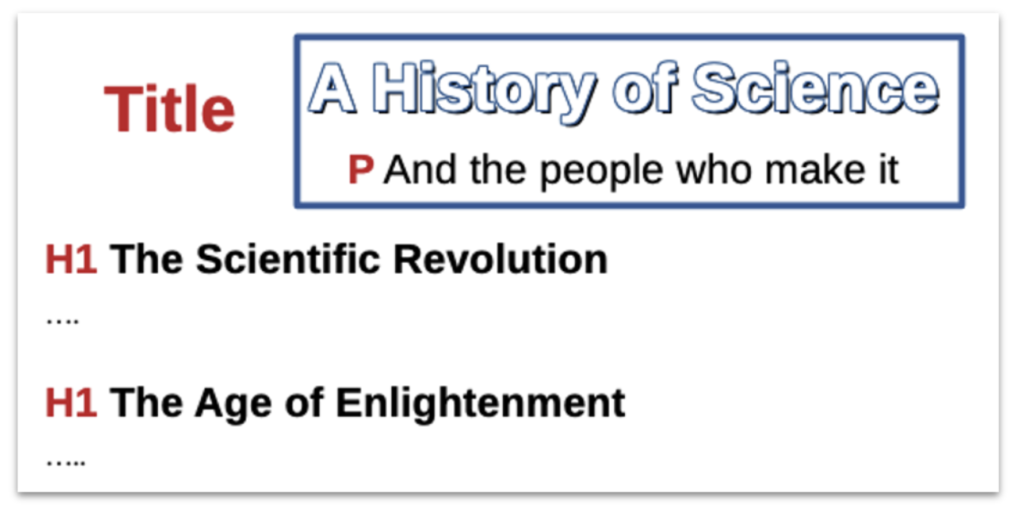
PDF 2.0 facilitates tagging this content to capture the author’s semantic intent:
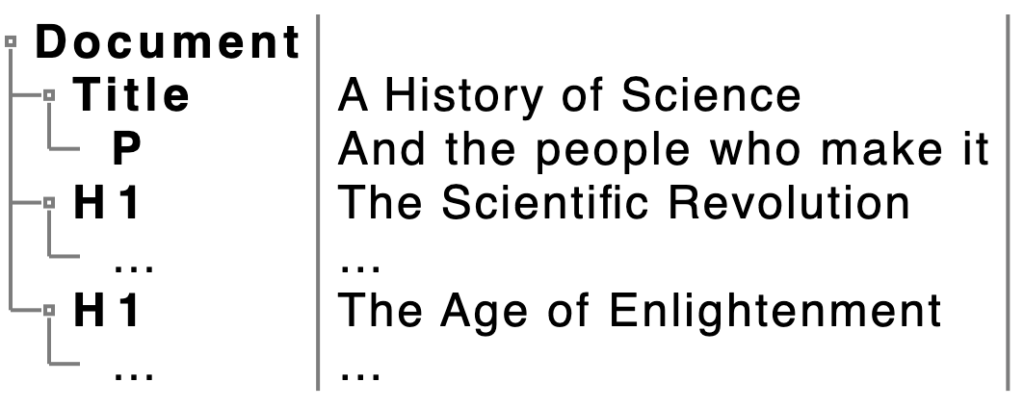
However, this concept just doesn’t compute in (current) HTML / ARIA, which might represent the content as follows:
<h1 class="book-title">A History of Science</h1>
<p  class="book-subtitle" role="doc-subtitle">And the people who make it</p>
<h1 class="chapter-title">The Scientific Revolution</h1>
...
<h1 class="chapter-title">The Age of Enlightenment</h1>
...
So how do major implementations deal with this extremely common use case today?
Google Docs, MS Word and LibreOffice all support:
- Distinct stylings for content marked as Title vs. heading level 1.
- Authors including multiple instances of heading level 1.
On export, both Google Docs and MS Word currently drop explicit title semantics:
- When exporting to HTML, both implementations map the title to <p>.
- When exporting to PDF, both implementations map the title to H1.
OpenDocument (LibreOffice, Collabra, etc) however, supports PDF 2.0:
- When exporting to HTML LibreOffice maps the title to <h1>.
- When exporting to PDF 2.0, LibreOffice maps the title to Title.
What a mess!
Authoring
A frequently updated service or interactive workflow is likely best delivered in HTML. Engineering and architecture drawings and documents of record are likely best delivered in PDF. Some publications may justify both PDF and HTML. Offering alternatives can be useful, provided each receives proper attention.
Authors use creation applications (such as those mentioned above) to create content without necessarily considering the manner in which the end-product is delivered to the user. They should not have to double-check the experience that results from perfectly conventional uses of authoring application features. Readers should benefit from author-intended document structures without needing to understand (or compensate for) the machinery underneath.
One thing to make clear: first-class status for PDF means clearer expectations, documented capabilities, dependable behavior, and flawless interoperability. Everyone can agree that the objective is a trustworthy experience in which people encounter PDF through the web.
Conclusion
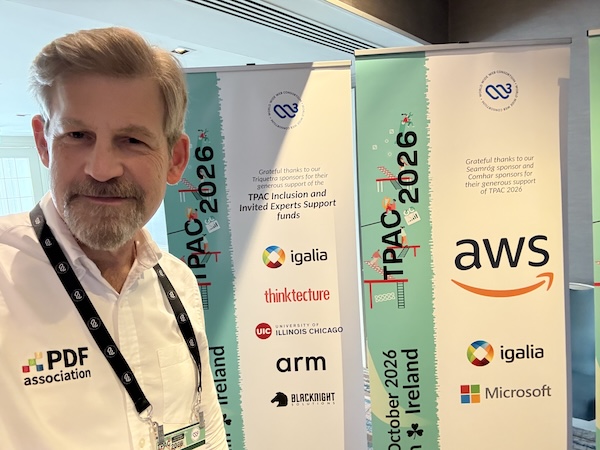 I leave the discussions in Dublin thinking less about the differences between formats and more about our collective responsibility as technology people for the information end users depend on.
PDF’s place in that information landscape is already established; end users need PDF precisely because PDF supports functionality they can’t do without. A web that’s committed to universal access should welcome that challenge, and PDF’s community will continue to help lead that work.
The next step is sustained collaboration: documenting the gaps, agreeing on priorities, and thereby improving the tools that connect authors with readers.
