





Easily making an accessible PDF textbook

About Frank Mittelbach, The LaTeX Project

About Timothy Prescott
The opinions expressed are those of the author.
Case studySeptember 24, 2026
Case studySeptember 24, 2026
About Frank Mittelbach, The LaTeX Project
About Timothy Prescott
The opinions expressed are those of the author.
The views expressed in this article are those of the author(s) and do not reflect the policies or positions of the PDF Association.
Introduction & setup
For the past decade, the University of North Dakota has used a custom 1150 page textbook for its three semester calculus sequence. This has enabled students to download the PDF for free in addition to having the option to purchase the book for a fraction of the cost of other textbooks (currently $25–$30 per semester, when last checked).
The University of North Dakota has been emphasizing the national requirement that all documents must satisfy the WCAG 2.1 AA guidelines as of April 2027. Beginning in early 2025, Tim began exploring how to ensure that the textbook meets these guidelines.
The basics
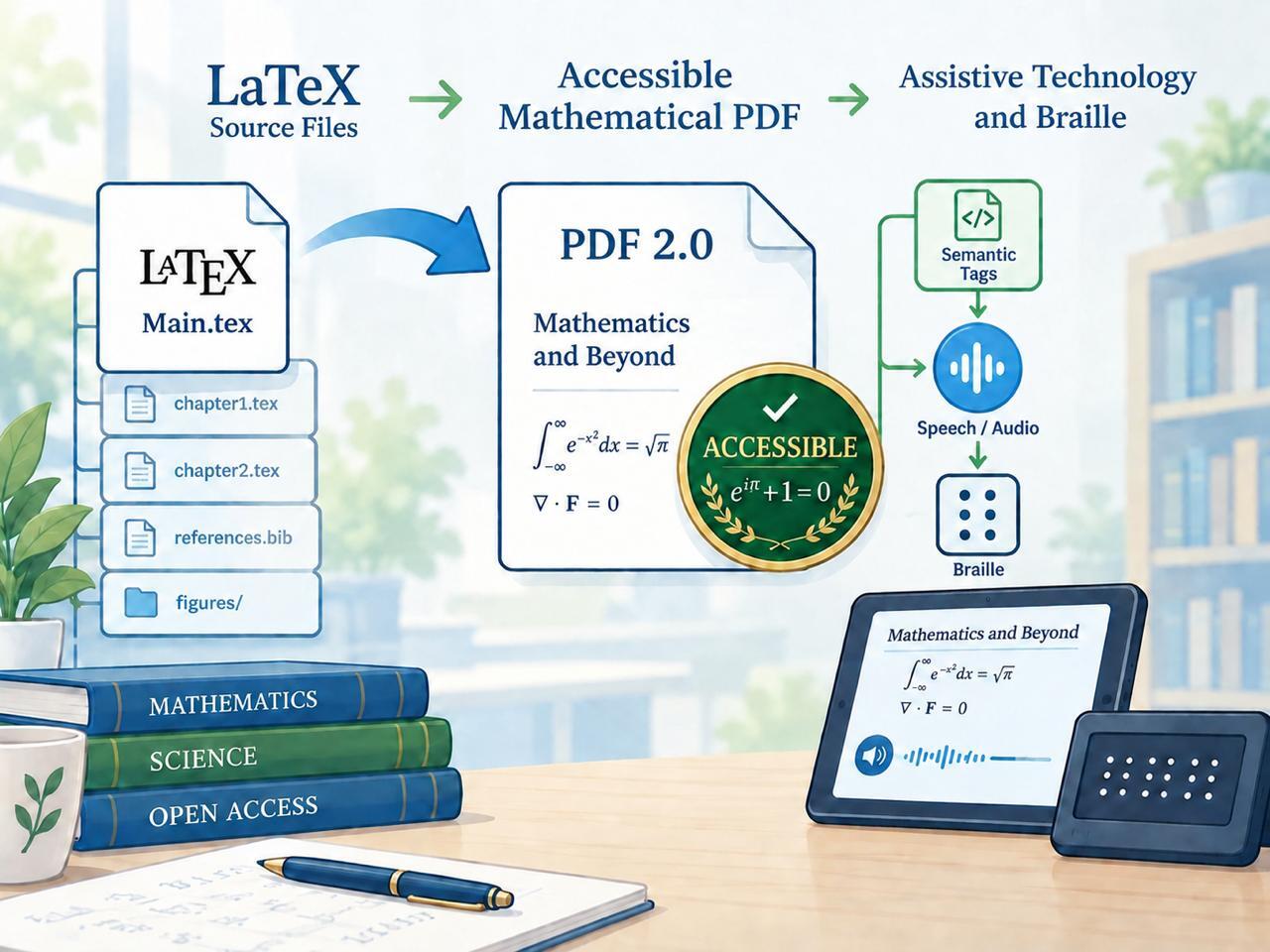
Because the textbook is a LaTeX document, we were able to leverage much of the work of the LaTeX Project, of which Frank is the technical lead. A single command at the beginning of the code’s preamble indicates that LuaLaTeX should produce a PDF version 2.0 satisfying the UA-2 standard.
Because tagging in LaTeX is still under active development, we were not surprised to encounter several bugs in the resulting compilation. These were generally quickly fixed or circumvented by users in online forums (often members of the LaTeX Project).
Alt text and tables
A key part of any accessibility workflow is providing alternative text for images. With LuaLaTeX automatically handling the bulk of PDF tagging, this was the greatest part of the remaining work. LaTeX can specify alt text to the image, and also provides the capability to note that an image is an artifact or actual text.
It is useful to note that creating alt text is not necessarily a TeXnical aspect of the tagging process, but possibly the most time intensive. For alt text, a short Python script added alt={ALT-TEXT-TO-BE-DETERMINED} to all of the images. A student worker with less TeX experience then went through the book, examined the resulting PDF, and created the alt text.
There are two contrasting problems we encountered with alt text. Alt text guidelines generally prefer a description that is too short to adequately describe a complicated mathematical object. The textbook typically follows such a restriction, but not always.
A bigger problem arises in early chapters in the calculus sequence when students are asked to verbally describe a graph. It is not clear how to provide alt text to describe a graph without giving an answer that students could repeat. The textbook describes such graphs using various synonyms (“the graph is a line from (−2,0.5) to a hollow dot at (−1,1), …”), but we acknowledge this is not an entirely satisfactory approach.
Many PDF checkers do not recognize PDF version 2.0 and instead (silently) check the PDF against version 1.7. A critical distinction for math is that PDF version 1.7 requires that all formulas include alt text. LaTeX can accomplish this, but this usually causes PDF screen readers to read the alt text and omit the more informative MathML tags (despite a recent PDF Association recommendation to the contrary), so we discourage its use unless a document is being judged on its adherence to the 1.7 standard.
The last remaining significant accessibility task was that tables needed to identify the headings that describe the data in the table. Again, LaTeX can identify the headers, although the current syntax to do so is still under development and there are plans for an improved interface. But we should also emphasize that if the sole purpose of the table is to arrange elements in a grid, then it’s not actually a table and probably shouldn’t be tagged as such (although creating a table tagged as a presentation table or as a Div is still straightforward with LaTeX).
Checking the results
Having resolved the reported errors, we needed to verify that the result was indeed accessible. The obvious first step was to ensure a screen reader properly handles the document. Unfortunately, when it comes to PDF version 2.0, the only currently viable PDF readers are Adobe, Foxit, and Firefox, while the only currently viable screen readers to go with them are NVDA and JAWS on Windows and Orca on GNU/Linux.
Another approach to verifying accessibility was to verify that the PDF was indeed version 2.0, and satisfied the UA-2 PDF standard. Unfortunately (again), there are relatively few PDF checkers that recognize version 2.0, while many more will apply version 1.7 standards to a version 2.0 document, resulting in many claimed “issues” with a valid document.
The LaTeX team uses veraPDF to verify their documents. veraPDF also has a command line version of the program, allowing for faster, or automated, checking of generated PDFs. After a minute of checking, veraPDF reported that the textbook satisfied the UA-2 and WTPDF standards, having performed over eleven million checks of one thousand seven hundred rules.
A related verifier is PDFix, which uses a similar checker as veraPDF, but also provides a graphical view of the PDF in question, which better locates errors. Additionally, PDFix offers additional profiles for verification.
The University of North Dakota uses Ally to check PDFs posted to its learning management system. Ally is one of the aforementioned PDF checkers that looks for version 1.7 and requires formulas to have alt text. For this reason, we recommend avoiding an Ally verification if possible.
Lessons learned
There are some misconceptions regarding accessibility and PDFs. Some people think that PDFs, especially those produced by LaTeX, are inherently inaccessible, usually because they are not aware that this reality has completely changed over the past few years. A separate misconception is that inaccessibilities in a LaTeX PDF must be laboriously remediated elsewhere (usually in Adobe Pro), not realizing that thanks to the recent work of the LaTeX Project team, LaTeX now has the ability to automatically create fully accessible PDFs.
We hope that this successful demonstration of converting a large and complex STEM document into an accessible format can help to overcome these misconceptions. LaTeX’s ability to automatically create fully accessible PDFs means that producing high quality and accessible documents is not only possible but also smooth and painless, eliminating undue extra work by the author beyond supplying alternative texts (which would be a part of any accessibility workflow). Most importantly, there is no need for any manual remediation after the PDF is produced, so that future editions of these documents will automatically remain accessible without any further work.
The collected advice from this article and our conversion process is available in a GitHub repository. A longer version of this article was published in TUGboat, a publication of the TeX Users Group. The textbook in question is available from the University of North Dakota web site. Since converting the calculus textbook to be accessible, we have also converted both a linear algebra textbook and a differential equations textbook to be accessible—further proof that the approach is working well.
Download a PDF 2.0 version of this article.

LaTeX is a high-quality typesetting system; it includes features designed for the production of technical and scientific documentation. LaTeX is the de facto standard for the communication and publication of scientific documents. LaTeX is available as free software.
Read more