




pdfaPilot 9 leads the way on automation
Member NewsJanuary 24, 2020

Member NewsJanuary 24, 2020

About Akash Choudhary,
The views expressed in this article are those of the author(s) and do not reflect the policies or positions of the PDF Association.
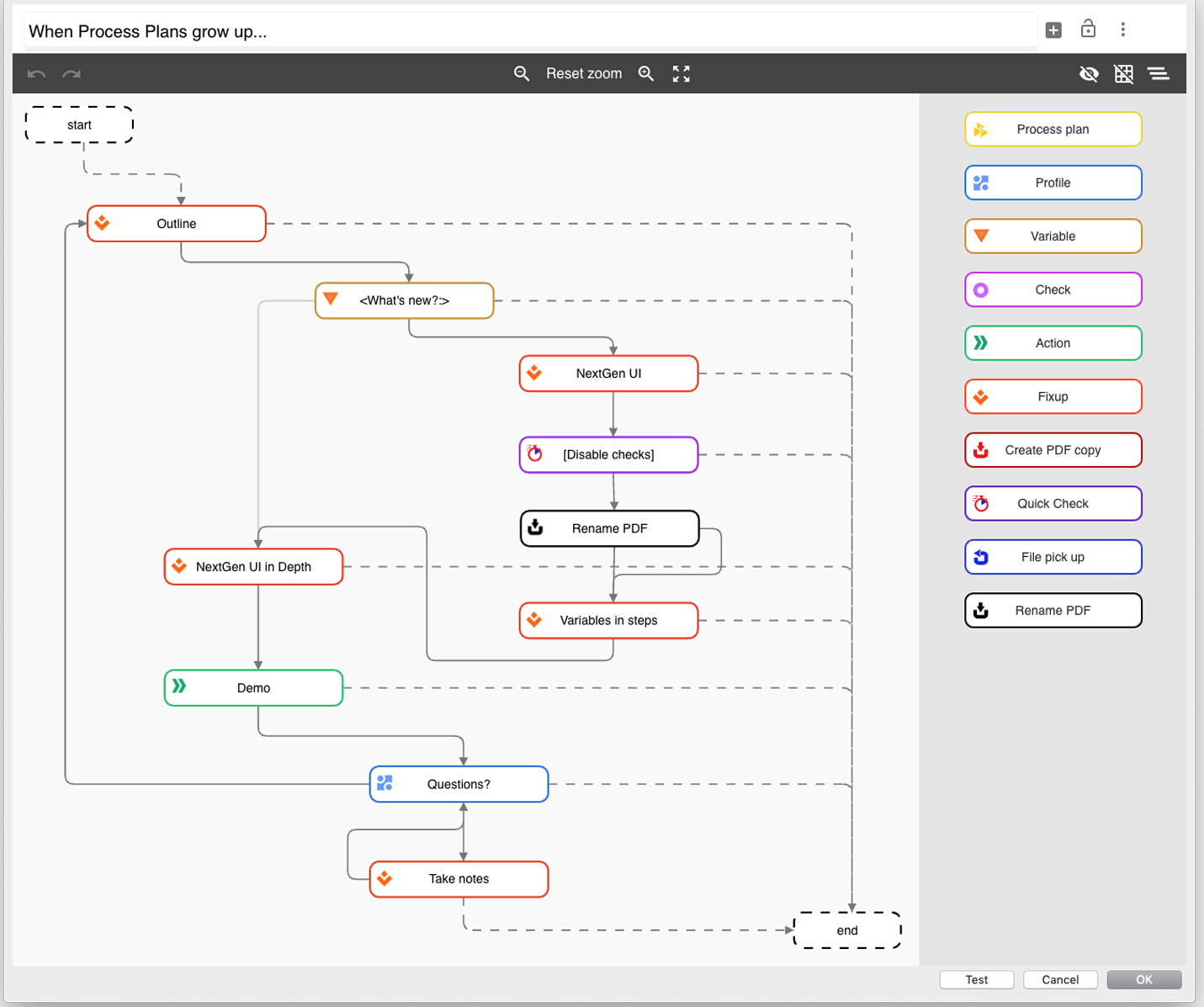
Berlin. Starting the new year off at full speed, callas software has released version 9 of pdfaPilot. The centerpiece of this update is the fully reworked editor used to create and modify process plans, which now has a graphical interface. With this tool, users can create even complex workflows more easily than ever, further automating their PDF-based processes. pdfaPilot 9 also contains a number of new features which offer users more flexibility in how they process PDF files.
“More and more customers are using pdfaPilot as part of complex workflows, processing their PDF files differently depending on various criteria,” said Dietrich von Seggern, Managing Director at callas software, adding, “For version 9, we therefore integrated the features users need to further automate their processes.”
Graphical workflow editor
One key new feature of pdfaPilot 9 is the workflow editor, which makes even complex processes easier to implement. The graphical interface shows users a range of self-explanatory symbols which they can then drag and drop to visually design process plans. Typical use cases for these kinds of processes include automatically editing, adding to or validating PDF files. They can be designed to incorporate user interaction, like entering variables and personalized ask-at-runtime dialogs.
More flexibility when processing hot folders
In general, pdfaPilot Server will automatically process all files saved to hot folders in line with the parameters associated with the server job. callas software has expanded this functionality for version 9, making hot folders more flexible and adding a “job ticket” mode. Job tickets are control files where all parameters for processing PDF files can be defined. They can also optionally contain a link to the PDF files for pdfaPilot to process.
Additional features
pdfaPilot 9 also contains a number of new features which are particularly well suited to process automation. For example, it can read barcodes and QR codes, using the extracted values to direct the rest of the workflow. pdfaPilot can also optionally use text markings to determine where to split PDF files. This feature is useful for dividing up print spool files, for example when producing invoices. Another option in pdfaPilot 9 is to trigger actions whenever certain content is found within a PDF file.

callas software was founded in 1995 and has focused on making PDF files usable in production environments from the start. While PDF was designed as a flexible and open format, using it reliably in production – where standardization matters – often proves challenging. callas develops technology to identify PDF files…
Read more