



Coherent PDF Command Line Tools (Cpdf)
Produced by Coherent Graphics Ltd
The most capable, most robust command-line tools for processing PDFs on Windows, macOS, and Linux.
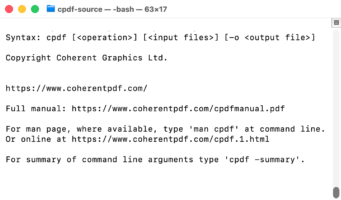
Coherent PDF Command Line Tools (Cpdf) is a comprehensive, production-tested suite of command-line utilities for manipulating PDF files. Built entirely on Coherent Graphics‘ own PDF technology, Cpdf gives developers, system administrators, and power users precise programmatic control over PDF documents without third-party dependencies.
Cpdf is widely used in automated document workflows, print production pipelines, archiving systems, and publishing infrastructure. Commands can be chained via standard input/output, combined into a single invocation, or driven from a control file, making it easy to embed in scripts, build systems, and server-side applications.
Functions
- Merge and Split PDFs Combine multiple PDFs into one, preserving bookmarks. Split by page count, file size, or bookmark boundaries. Create PDF portfolios. Collate and shuffle pages across multiple inputs.
- Page Manipulation Scale, rotate, flip, crop, and shift page contents. Set media, trim, art, bleed, and crop boxes. Impose pages (n-up). Add trim marks. Insert blank pages. Chop pages into sections.
- Watermarks, Stamps, and Text Stamp pages over or under existing content. Add text, shapes, page numbers, and Bates numbers in custom fonts, colors, sizes, and with transparency. Add multiline justified paragraphs.
- Bookmark Management List, add, remove, and round-trip bookmarks using JSON. Support for complex destinations. Build a table of contents from existing bookmarks.
- Annotations List, add, copy, remove, and round-trip annotations in JSON format. Full support for annotation import/export workflows.
- Encryption and Security Encrypt and decrypt PDFs. Decrypt encrypted inputs on-the-fly without a separate step.
- Metadata and Document Information Read and set document properties, XMP metadata, page labels, and display options. Identify PDF/A, PDF/X, PDF/E, PDF/VT, and PDF/UA conformance levels. Set producer, creator, and viewer preferences.
- File Size Optimization Losslessly squeeze PDFs, compress and decompress streams, and reprocess embedded images to reduce file size.
- File Attachments Add, remove, and extract file attachments at the document or page level, including embedded PDFs.
- Image and Rasterization Operations Insert images, export pages as PNG or JPEG, extract embedded images, rasterize pages, and recompress images within a PDF. Build new PDFs from PNG, JPEG, or JBIG2 images.
- PDF Creation and Drawing Generate new PDFs from scratch, convert text files to PDF, draw paths and filled shapes, use clipping paths and matrix transformations, re-use content with XObjects, and create multi-page documents programmatically.
- Tagged PDF and PDF/UA Create tagged PDF documents, including PDF/UA-conforming output. Operations preserve PDF/UA compatibility in existing tagged documents.
- JSON Round-Tripping Export an entire PDF (including page contents) to JSON and re-import it, enabling programmatic inspection and modification of PDF internals.
- Optional Content (Layers) Manipulate optional content groups to control layer visibility.
Links